Twitter scheduler: how to schedule tweets on X, on the web, phone and X Pro
The free Twitter scheduler is in the x.com web composer. Write the post, click the calendar-and-clock icon, pick a date and time, click Confirm, then Schedule, and manage it under Unsent posts. On a phone, x.com in the browser with desktop site on is the route that reliably works. X Pro schedules for several accounts but is reported to need Premium+.
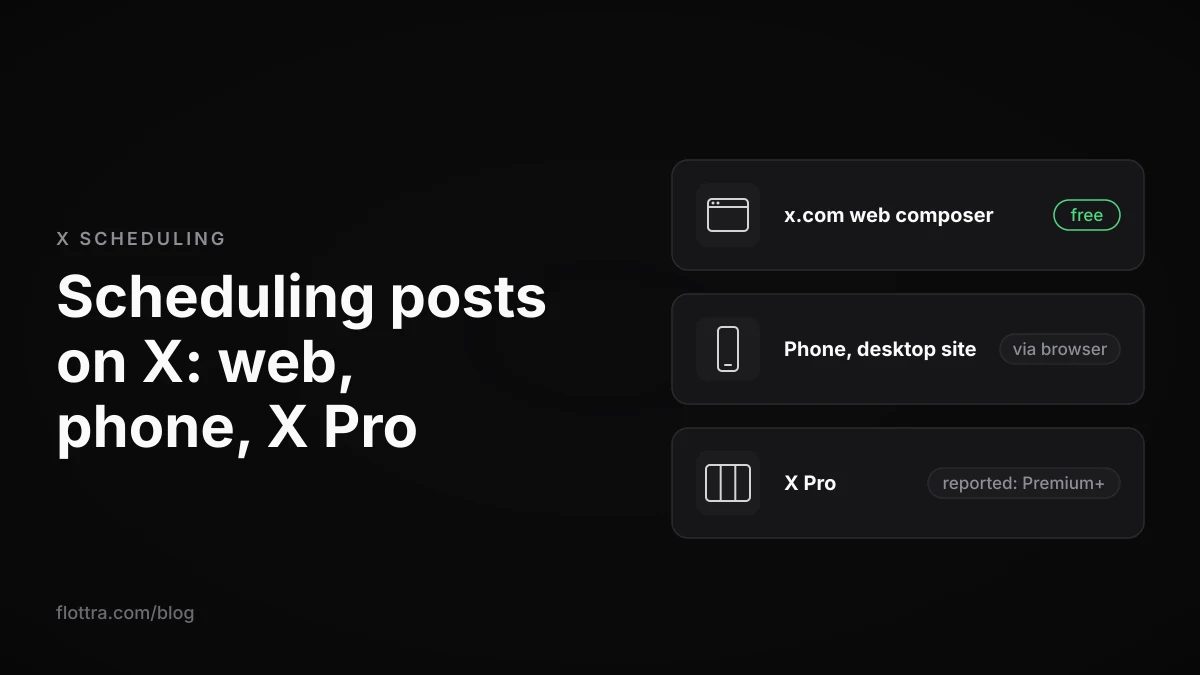
To schedule a tweet on X (formerly Twitter) for free, open x.com in a web browser and write the post. Click the schedule icon in the compose box (a calendar with a small clock), choose a date and time, click Confirm, then click Schedule. Scheduled posts wait under Unsent posts on the Scheduled tab, where you can delete them (guides disagree on whether you can edit them in place). On a phone, the route that reliably works is x.com in the mobile browser with the desktop site turned on. X Pro, the old TweetDeck, schedules for several accounts but is reported to require Premium+. Some third-party schedulers, RecurPost among them, say on their own pages that they pass X's paid API fees on to you.
How to schedule a tweet on x.com for free
The free X scheduler is part of the ordinary compose box on x.com in a web browser. It costs nothing, needs no extra app, and schedules a single post for the account you are logged in as. These are the steps current guides describe:
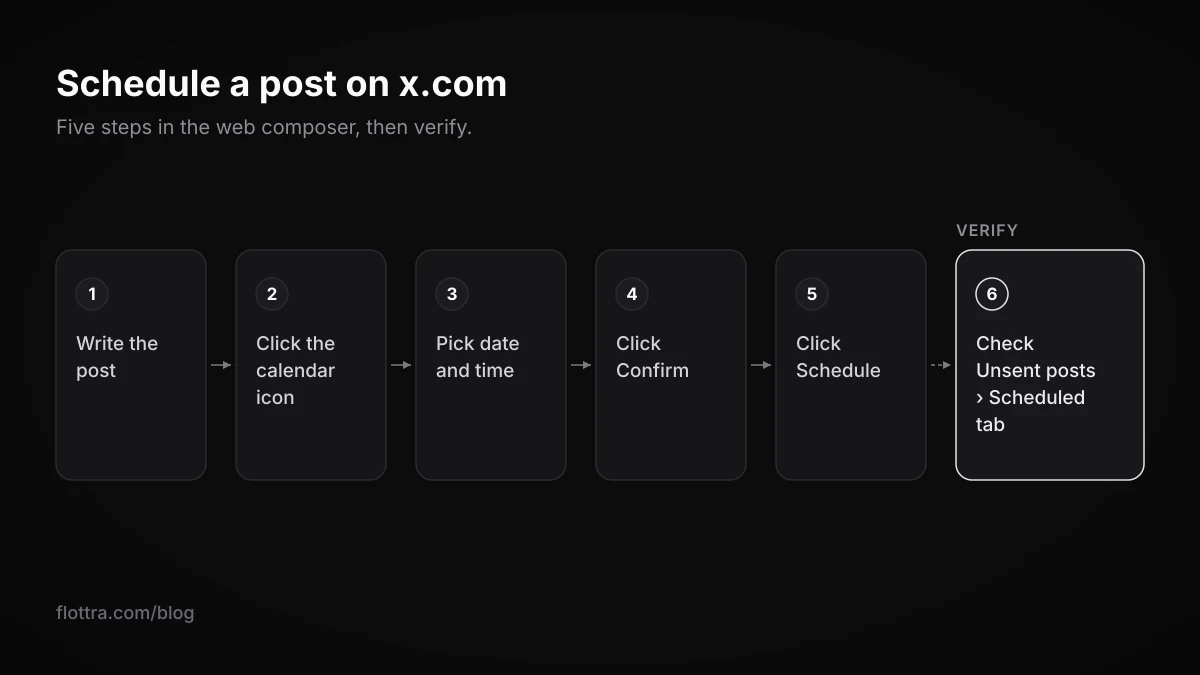
- Log in at x.com on a computer as the account the post should come from. On a phone, see the browser steps in the next section.
- Click the compose box or the Post button and write the post. Add images or video as you normally would.
- Click the schedule icon in the compose toolbar: a calendar with a small clock.
- Choose the date and the time, then click Confirm.
- Click Schedule.
- To check it went in, open the compose box, choose Unsent posts and look on the Scheduled tab.
Documented, or only reported
These steps match how several current guides describe the x.com composer, for example Zolyp's scheduling guide. No official X Help Center page describing this composer route could be found on 18 October 2026. Sked Social (16 October 2026) says the Help Center documents only two native routes, the ads.x.com Composer and X Pro, while other guides imply the composer route is documented too. Both documented routes are covered further down.
Can you schedule tweets in the X mobile app?
Possibly, depending on your phone and app version, but X has not documented it. Lemonpost reported in October 2026 that an X designer said in early September 2026 that scheduling was rolling out in the mobile app. It had been seen on iPhone but not on Android. Other 2026 guides, including SocialRails, Crowbert and ContentStudio, say the apps cannot schedule at all. If your app's composer shows a schedule icon, use it. If it does not, the mobile browser works on any phone.
Scheduling tweets from a phone browser
The workaround is to load the desktop version of x.com in your phone's browser, which gives you the same composer as on a computer. The steps, as given by SocialRails:
- Open x.com in Safari (iPhone) or Chrome (Android) and log in.
- On iPhone, tap aA in the address bar and choose Request Desktop Website. On Android, open the three-dot menu and tick Desktop site.
- Open the compose box, write the post and tap the schedule icon.
- Pick the date and time, tap Confirm, then Schedule.
It is the same x.com composer as on a computer, so the scheduled post sits in the same Unsent posts queue.
Where to find, edit or delete a scheduled post on X
On x.com, scheduled posts are kept in the compose box under Unsent posts, on the Scheduled tab, alongside your drafts. That is where you go to check the time, change the post or delete it before it publishes.
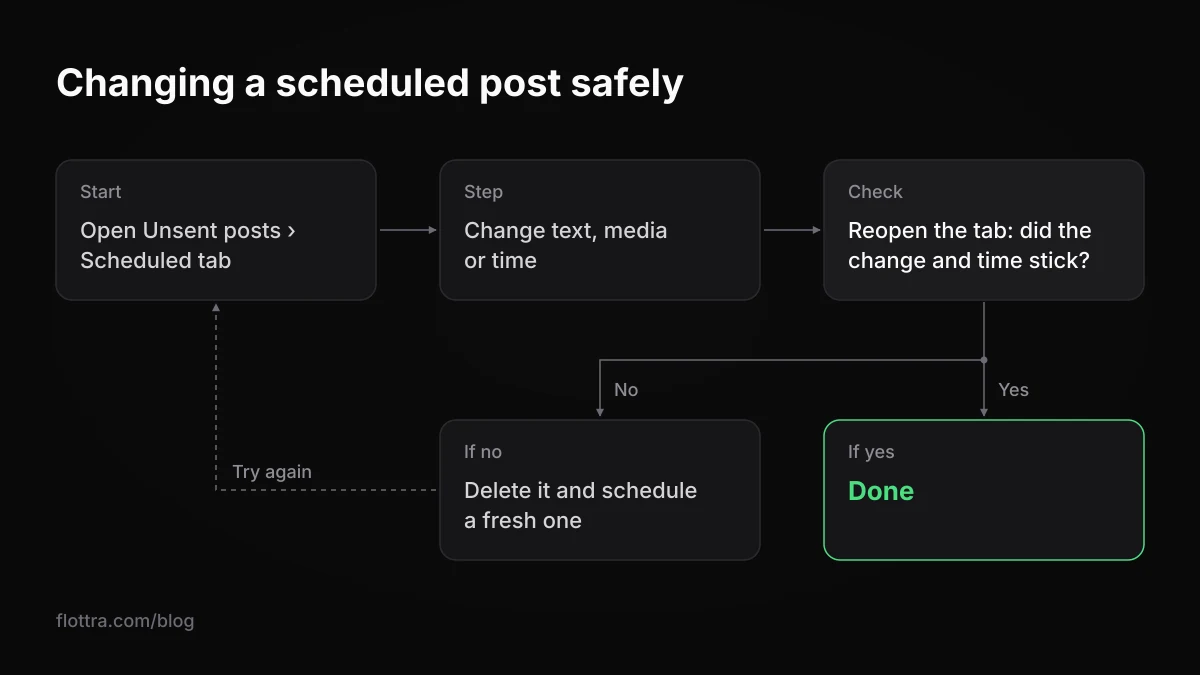
Guides disagree on whether a native scheduled post can be edited in place. Hootsuite and Crowbert say you open it from the Scheduled tab and change the text, media or time. Lemonpost could not confirm that editing works and advises deleting and rescheduling instead. Since no X page documenting the x.com route could be found, this order of steps is the safe one:
- Open Unsent posts and go to the Scheduled tab.
- Open the post and make the change to the text, media or time.
- Close it, reopen the Scheduled tab and check that the change and the new time actually stuck.
- If they did not, delete the scheduled post and schedule a fresh one.
For the two documented routes there is no doubt: X's own pages say scheduled posts can be edited in X Pro, and edited or deleted in the Ads Composer (details below).
Draft or scheduled post: what is the difference?
A draft is a post you saved without a time. It never publishes by itself; it goes out only when you open it and tap Post. A scheduled post has a date and time attached and publishes on its own. Crowbert and ContentStudio say drafts and scheduled posts do not sync between the mobile app and the web. A draft saved in the app may therefore not appear on x.com. X has not confirmed this on an official page, but it is the safer assumption. Write a post you mean to schedule in the place where you will schedule it.
What the native X scheduler can and cannot do
The free x.com scheduler handles single posts for one account at a time. The limits most often quoted for it come from third-party guides, not from an X page, so treat them as reported rather than official. These are the 18 month horizon, no threads, no polls, no long posts, and the device time zone.
| Question | What is reported | Who reports it | Status |
|---|---|---|---|
| How far ahead can you schedule? | Up to 18 months | Sprout Social, Crowbert, Brandwatch, Tiny Quip | Secondary sources only |
| Threads | Not supported in the x.com composer | Crowbert, PostPlanify, Lemonpost | Secondary sources only |
| Polls | Not supported in the x.com composer | Crowbert, PostPlanify, Lemonpost | Secondary sources only |
| Posts over 280 characters (Premium long posts) | Cannot be scheduled on the web | Lemonpost, citing X's help centre | Official wording not found |
| Time zone | Your device's time zone | Crowbert, Blockmm | Secondary sources only |
| Drafts and scheduled posts between app and web | Do not sync | Crowbert, ContentStudio | Secondary sources only |
Two practical points follow. If you post for an audience in another time zone, convert the target time to your own local time before you pick it. Then read the time shown on the Scheduled tab afterwards. For a thread, a poll or a long post that has to go out at a set time, post it live, or use a tool whose own documentation says it supports that format.
X Pro and the Ads Composer: the two documented ways to schedule
X's Help Center documents two ways to schedule posts: X Pro, the column app that used to be TweetDeck, and the Composer in X Ads at ads.x.com. Both official pages say you can view and edit scheduled posts, and the Ads page adds deletion. X Pro can also schedule for several accounts.
X Pro (formerly TweetDeck)
The X Pro help page (checked 18 October 2026) says: "X Pro allows you to schedule posts in advance. If you manage multiple accounts through X Pro, you have the option to schedule posts for each of them." The step it gives is: "Click Schedule post and select the date and time you'd like the post posted." For managing the queue: "View and edit your scheduled posts by adding a Scheduled column." The same page also carries a warning for corporate users about who can see the scheduled posts of connected accounts. Read it in full before you share an X Pro login across a team.
By current reports, TweetDeck is no longer free. Several secondary sites, citing Engadget, report that X Pro became available only on Premium+ from 26 March 2026, at $40 a month or $395 a year (SocialRails). Neither an X page nor the Engadget article could be opened to confirm this on 18 October 2026, so check the price on the subscription screen before paying. If you are weighing X Pro against tools for running many accounts, see flottra vs TweetDeck (X Pro).
The X Ads Composer
The Ads help page on scheduled posts (checked 18 October 2026, also published on business.x.com) gives this route:
- Log in to ads.x.com and open the Composer tab.
- Write the post.
- "Click on the drop down arrow next to “Post” on the upper right corner of Composer."
- Choose the date and time, then click Schedule.
- To manage it later, open the Posts tab and switch the filter to Scheduled.
Of that Posts tab the page says: "All management, including editing and deletion of scheduled Posts, can be done here." It adds that "Your Post won't be discoverable on X or by any data partners until the date and time you scheduled" and that "Your new live Post will have the timestamp of that specified time."
Third-party Twitter schedulers and what they cost in 2026
A third-party tweet scheduler earns its price when you need a content calendar, bulk queues, threads or several accounts in one place and do not want X Pro. Many publish through the X API. X's API pricing is reported to have changed in 2026, and at least one tool, RecurPost, says on its own page that it passes X's API fee on top of the plan.
Third-party reports, Outstand among them, say the X API moved to pay-per-use from February 2026. The reported rates are $0.015 per post created and $0.20 per post containing a link, and the free tier is said to have closed to new developers. These figures could not be confirmed on X's developer documentation on 18 October 2026, so treat them as reported. The reported change matters for other API tools too; see which follower trackers still work.
| Tool | What its own page says | Price on that page |
|---|---|---|
| RecurPost | Publishes through X's API and passes X's paid API fee on through a "per-link wallet". Polls, quote posts and reposts stay in the X app. | "20 accounts for $79/mo"; "14-day trial. No credit card." |
| Hootsuite | Paid plans: Standard, Professional, Advanced, Enterprise on custom pricing. | From $99 (Standard), $199 (Professional), up to $399 (Advanced); meta description says "starting at $99/user/month" |
| SocialPilot | Bulk scheduling of "up to 500 tweets in one go", a drag-and-drop calendar, AI suggested posting times. | No price on that page |
| XScheduler (Chrome extension) | Bulk-schedules from CSV or plain text; runs in your browser using your active X session, with no servers. | No price taken from that page |
Buffer, Typefully and Sprout Social are also widely used for scheduling. Their prices are left out here because they could not be found on the vendors' own pages. For how a writing and publishing tool differs from a tool that runs many accounts, see flottra vs Typefully.
Note what kind of tool XScheduler is. By its own description it posts through your logged-in browser session, not through the API. That is scripting the X website, which X's automation rules address directly (next section).
Scheduling posts for several X accounts: limits and rules
To schedule posts for several X accounts, you need a tool that holds more than one account. The x.com composer posts as the account you are logged in as, so it schedules one account at a time. X Pro schedules for each account you add to it, and third-party tools vary by plan. Once you schedule across many accounts, X's posting limits and its spam and coordination rules start to matter.
The daily post limit applies to scheduled posts too
The X limits page (checked 19 September 2026) says: "Posts: 50 original posts and 200 replies per day for unverified accounts. The daily update limit is further broken down into smaller limits for semi-hourly intervals." It also says: "These limits include actions from all devices, including web, mobile, phone, API, etc." The page does not mention scheduling by name. A scheduled post publishes as an ordinary post, so treat it as counting. The same page, lower down, still says "The post limit of 2,400 updates per day is further broken down into semi-hourly intervals." The page contradicts itself; the 50 and 200 figures are the ones in its current-limits list. It states no number for Premium accounts. More on this in X rate limits in 2026.
The rules that bite when many accounts post on a schedule
- Content spam (authenticity policy, checked 19 September 2026): "Content Spam: You may not share or post content in a bulk, duplicative, irrelevant or unsolicited manner that disrupts people's experience." Scheduling the same text across a set of accounts fits the "duplicative" wording.
- Coordination (same page): "Multiple Accounts and Coordination: We prohibit coordinated inauthentic activity that artificially influences conversations or disrupts X."
- Responsibility (automation rules, checked 19 September 2026): "For X users: You are ultimately responsible for the actions taken with your account, or by applications associated with your account." A scheduler doing the posting does not move that responsibility.
In practice, give each account its own posts, written for its own audience. Do not queue one message for a row of accounts at the same minute. How many accounts you can sensibly hold, and in what setup, is covered in how many X accounts you can have.
flottra keeps one queue of posts for many accounts in its panel. Posts can be queued now. Sending them from its desktop app, which opens a real browser per account on your own Windows computer, is being switched on, so it does not post them today. It does not use the X API, which puts it on the browser side of the rule quoted below. The trade-offs between API and browser tools are set out in X automation in 2026.
Browser-based scheduling and X's automation rule
X's automation rules list as a Don't: "Use non-API-based forms of automation, such as scripting the X website. The use of these techniques may result in the permanent suspension of your account." (checked 19 September 2026). This covers browser extensions that post through your logged-in session and any browser-driven tool. The rule is quoted here so you can decide with it in front of you. No tool can promise an account will not be suspended.
Questions
- Can you schedule tweets on X for free?
- Yes. The scheduler built into the x.com web composer costs nothing. Write the post, click the calendar-and-clock icon, pick a date and time, click Confirm and then Schedule. It works on a computer, and on a phone if you load x.com in the browser with the desktop site turned on. X Pro, the old TweetDeck, is no longer free: secondary sites report it moved to Premium+ in March 2026. The third-party tools whose prices could be found on their own pages are paid plans; RecurPost lists a 14-day trial with no card.
- Is TweetDeck still free?
- Not by current reports. TweetDeck is now X Pro. Several sites citing Engadget report it has required Premium+ since 26 March 2026, at $40 a month or $395 a year. Neither X's own pages nor the Engadget article could be opened to confirm the price on 18 October 2026, so check the subscription screen before paying. What X does document is that X Pro schedules posts for every account you manage in it, and you edit them in a Scheduled column.
- Can you schedule a thread or a poll on X?
- Not in the free x.com composer, according to Crowbert, PostPlanify and Lemonpost, which say it schedules single posts only. Sked Social says X Pro can schedule threads and polls, while Lemonpost could not confirm threads. RecurPost's own page says polls stay in the X app. X documents none of this. For a thread or poll that must go out at a set time, test your chosen route with a low-stakes post first, or simply post it live.
- How far ahead can you schedule a post on X?
- Up to 18 months, according to Sprout Social, Crowbert, Brandwatch and Tiny Quip. No X Help Center page stating that horizon could be found on 18 October 2026. If the date picker refuses a date, the picker is right and the guides are wrong. For anything scheduled months out, put a reminder in your own calendar to check the post still makes sense and is still in the Scheduled tab.
- Which time zone does the X scheduler use?
- Third-party guides (Crowbert, Blockmm) say it uses your device's time zone, not your audience's. X does not say so on an official page. If you schedule for another market, convert the target time into your own local time before picking it. Then check the time listed on the Scheduled tab. If you travel and schedule on the road, confirm your device clock has moved to the new zone first.
- Do scheduled posts count towards X's daily post limit?
- Treat them as counting. X's limits page says the limits "include actions from all devices, including web, mobile, phone, API, etc." A scheduled post publishes as an ordinary post. The current figure is 50 original posts and 200 replies a day for unverified accounts, split into semi-hourly limits (checked 19 September 2026). The same page also still quotes 2,400 a day, and it gives no number for Premium accounts.
- Is scheduling tweets with a browser extension allowed under X's rules?
- X's automation rules tell you not to "Use non-API-based forms of automation, such as scripting the X website". They warn this "may result in the permanent suspension of your account" (checked 19 September 2026). An extension that posts through your logged-in session, as XScheduler describes itself, is not using the API. The rules also say you are "ultimately responsible" for what applications do with your account. Read the rule in full and decide.