How to auto translate tweets on X, and how to turn it off
Since the worldwide rollout reported in April 2026, X translates posts in other languages automatically with Grok and labels them “Translated by Grok”. You control it one language at a time: tap the gear beside “Show original” on a translated post and switch off “Automatically translate” for that language. Where it does not appear, use the Translate post prompt, browser translation or an extension.
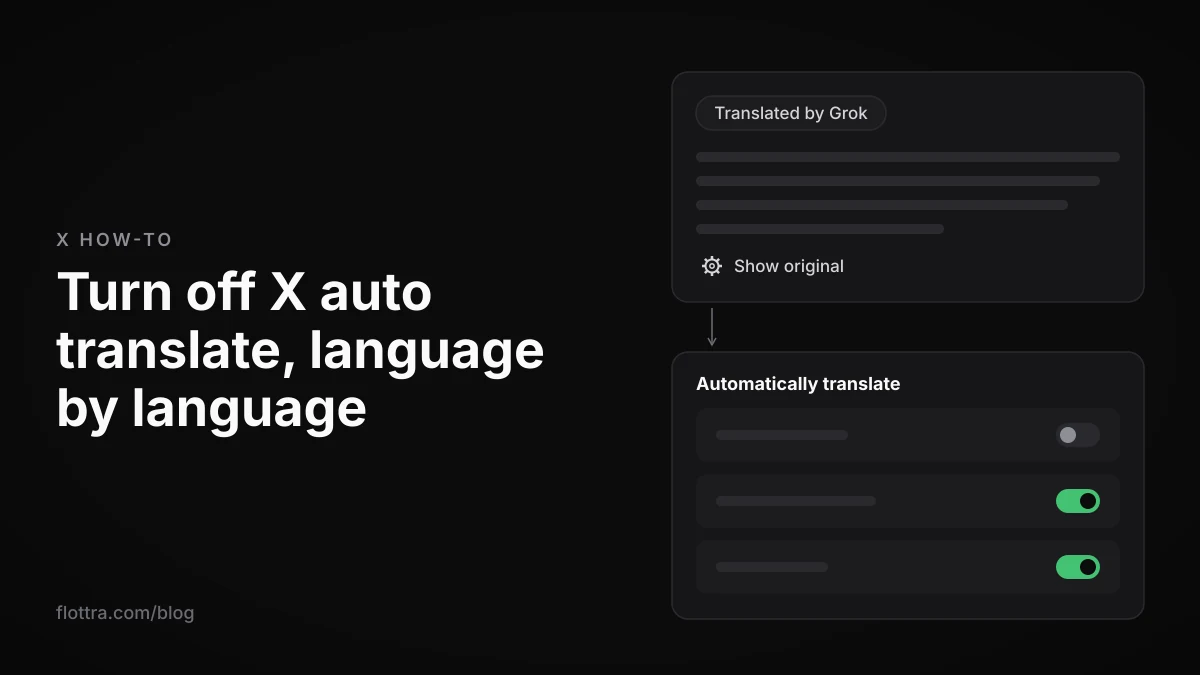
To auto translate tweets on X (formerly Twitter), you mostly do nothing: since the worldwide rollout reported on 8 April 2026, the X app translates posts in other languages with Grok and labels them “Translated by Grok”. To stop it for a language, tap the gear beside “Show original” on a translated post and switch off “Automatically translate” for that language. No switch for all languages at once has been reported. Where automatic translation does not appear, the manual Translate post prompt, your browser's translate option or an extension fills the gap.
How auto translate works on X now
X translates posts with Grok, not Google Translate, and in the app it does so without being asked. A post in a language other than yours appears already translated, labelled “Translated by Grok”, with a link to show the original. The change happened in stages over about a year. That is why older guides, and X's own help page, describe a different, manual feature.
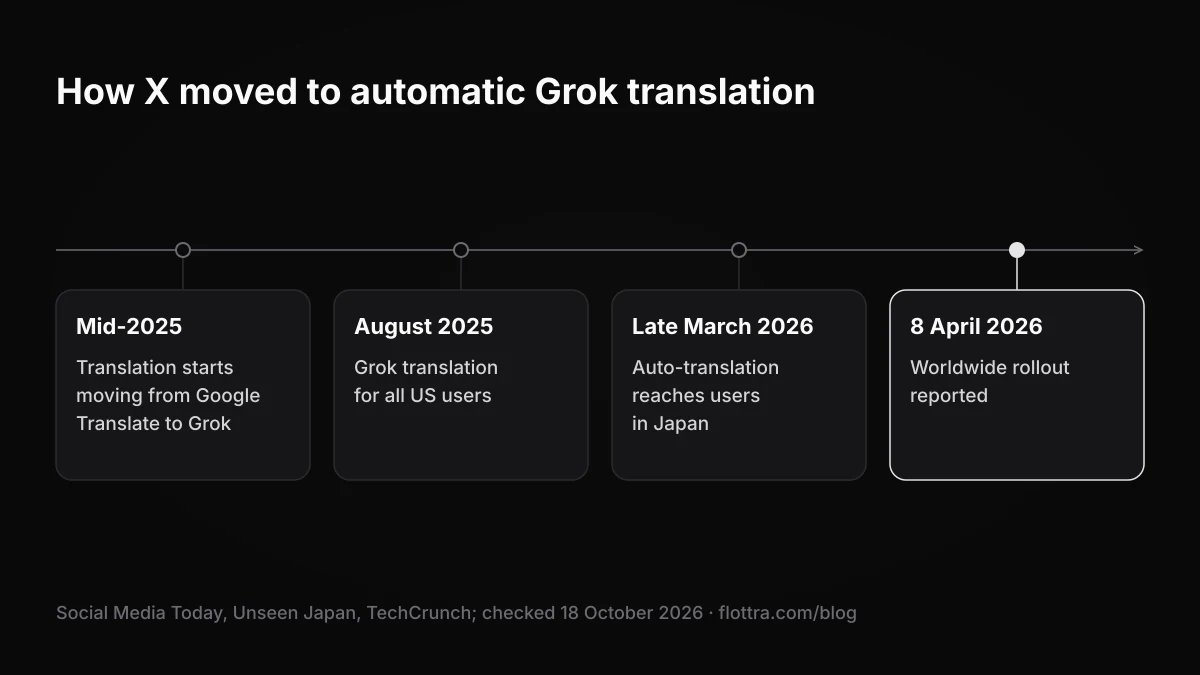
| When | What changed | Source |
|---|---|---|
| Mid-2025 | X starts moving post translation from Google Translate to Grok | Social Media Today |
| August 2025 | Grok translation of posts available to all US users | Social Media Today |
| Late March 2026 | Automatic Grok translation reaches Japanese users: Japanese posts show in English for overseas readers with no clicks | Unseen Japan |
| Late March 2026 | Elon Musk says Grok is starting to auto-translate and recommend foreign-language posts | PiunikaWeb |
| 8 April 2026 | Worldwide rollout of automatic translation reported | TechCrunch |
Sources: Social Media Today, Unseen Japan, PiunikaWeb and TechCrunch, all checked 18 October 2026.
Translation runs in both directions. When Musk announced the change in late March 2026, users reported that their own posts were appearing translated for followers abroad without them doing anything. You do not have to switch anything on for readers in other languages to see your posts in theirs.
Whether automatic translation is on by default for every account is not settled. Croma says it is on by default and translates any post not in the app's chosen language. A guide on Outono published on 8 April 2026 describes it as a feature you activate. X has published nothing that settles it. The practical test: if posts in your timeline carry the “Translated by Grok” label, it is on for those languages.
How to turn off auto translate on X
You turn off automatic translation on X one language at a time, from a translated post, not from the settings menu. PiunikaWeb found no master toggle for the whole app in April 2026, and no later source has found one. If you read four languages, you repeat the steps four times. The steps follow Croma's walkthrough (both checked 18 October 2026).
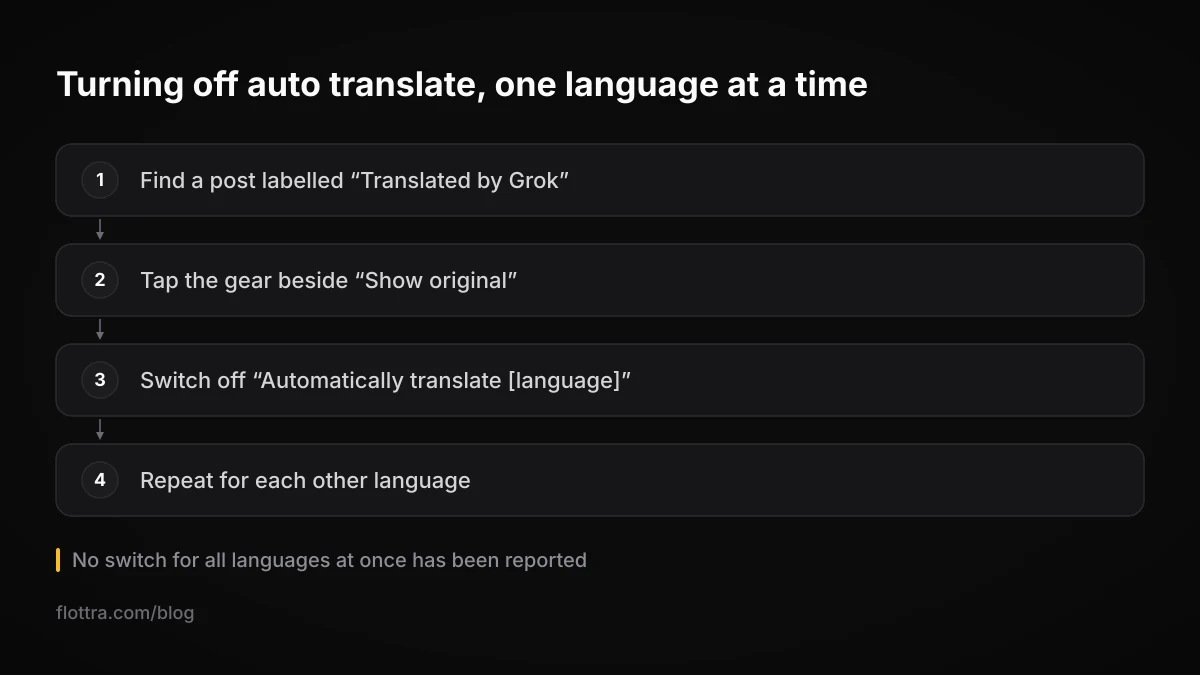
- Find a post labelled “Translated by Grok” in the language you want to read in the original.
- Tap the gear (cog) icon beside “Show original” or “Show translation” on that post.
- Switch off “Automatically translate [language]”, where [language] is the language of that post.
- Repeat with a post in each other language you want left untranslated.
To read a single post in the original without changing anything, tap “Show original” on that post and leave the language setting alone.
Turning it back on
The published walkthroughs only cover switching it off. To get a language back, look for the same gear on a post in that language. If the gear is not offered there, use the manual Translate post prompt where X shows one, or the browser options further down.
The Additional languages workaround is unconfirmed
Some users, and some replies from the Grok account, say that adding a language under Settings, then Accessibility, display, and languages, then Languages, stops X translating that language. PiunikaWeb tried and could not confirm it. Treat it as untested. The gear on the post is the method the reports agree on.
Why X's help page still describes a Translate post button
X's official help page on post translation describes the older, manual feature, not Grok's automatic translation. As indexed on 18 October 2026, the page says: “If a translation is available for a post, a Translate post prompt will be visible directly under the post text.” It does not mention Grok or the gear toggle, and it still points readers to Google's translation disclaimer, which no longer fits now that Grok does the work.
The same page lists where translation works: “post translation is available on x.com, X for iOS, X for Android, mobile.x.com, X Lite, X for Windows, and X Pro.” That list describes manual translation. No official source confirms that automatic Grok translation behaves the same way on x.com in a desktop browser, in X Pro or in X for Windows.
If the official steps do not match your screen
The help page's search index entry shows an update about 19 days before 18 October 2026, but its wording still describes the manual prompt. The page text reached this post through a search snippet, so open it yourself to see the current version. Until X rewrites it, the per-language gear on a translated post is the control that matches what the app does.
Why the Translate post button is missing or not working
The Translate post prompt and Grok's automatic translation can both fail to appear, and X does not publish its detection rules, so some causes can only be inferred. The table lists the causes that a source names and the fallback for each. In every case, selecting the text and translating it in your browser works whatever X decides.
| What you see | Likely reason | What to try |
|---|---|---|
| No translation on a post that mixes languages | Users report the button disappears when a post contains even one word in your default language (user report, not official) | Select the text and use your browser's translate option |
| One language is never translated any more | Automatic translation was switched off for that language through the gear, perhaps by someone else using the account | Check the gear on a post in that language |
| No prompt at all on some posts | The help page says the prompt appears only “If a translation is available for a post” | Browser translation or an extension |
| Translation reads oddly or says something the author did not mean | Grok paraphrases rather than translating word for word | Tap “Show original” and translate that text separately |
| Menus in the wrong language | Display language, a separate setting from translation | See the next section |
How to change the language X shows its menus in
X's display language (the language of menus and buttons) is a separate setting from the languages of the posts you see, and changing it does not translate anything in your timeline. X's language settings page (checked 18 October 2026) says: “Changing your display language settings does not change the language of the content you see on your Home timeline.”
It also limits where you can change it: “Display language settings on your X account can only be changed on X.com.” In the iOS and Android apps, the display language follows your device's language setting. The menu path on x.com is Settings, then Accessibility, display, and languages.
The two settings still interact. Croma describes automatic translation as translating any post not in the app's chosen language, so the language your app runs in is probably the language Grok translates into. If posts are being translated into the wrong language, check the device language in the app and the display language on x.com before anything else.
How to translate tweets in your browser or with an extension
When X's own translation is missing or wrong, your browser can translate any post you select, and browser extensions can translate the whole timeline as it loads. Browser translation needs no install and no extra permissions, so it is the fallback to try first.
Without an extension
Edge, like other browsers, can translate a selected passage from the right-click menu (Ask Dave Taylor, checked 18 October 2026). The same guide mentions Grok's “Explain this post” as another way to get the meaning of a post.
- Open the post on x.com in your browser.
- Select the text you want translated.
- Right-click the selection and choose the translate option your browser offers.
- Compare it with X's own translation if the meaning matters.
Extensions that translate X automatically
Several extensions translate posts on x.com as they load. The table lists only what each one says about itself on its own page. Prices were not checked.
| Extension | What its own page says |
|---|---|
| X Translator (Chrome Web Store) | Translates posts on X.com automatically, supports 30+ languages, one-click toggle, says it does not collect personal data |
| X.com Auto Translator (open source, GitHub) | Uses Google Translate or LibreTranslate with fallback, 15 target languages, OCR of text in images on individual post pages, skips posts already in the target language |
| Fenly | Auto-translate toggle on x.com for tweets, replies, quoted tweets and DMs in 107 languages |
An extension reads what you read
To translate a page, an extension has to read the page. On x.com that can include your timeline, your replies and, for tools that translate them, your DMs, for every account you open in that browser. Read the permissions before installing, and if you run several accounts, install it only in the browser profiles that need it.
Do you still need a separate X account for each language?
Not for readability, but often for everything else. Translation happens on the reader's side, so a post you write in Spanish can already reach an English-speaking follower in English, as users reported in late March 2026. A single account is no longer unreadable to people who do not share its language, which is the main problem a second-language account used to solve.
The catch is accuracy. Grok paraphrases. When automatic translation reached Japanese users, critics warned that the paraphrasing can produce meanings the author never wrote (Unseen Japan, checked 18 October 2026). For a joke, an offer, a warning or anything sarcastic, that matters more than reach.
Several things are not known, and nobody has published figures for them: whether auto translation changes reach or impressions, whether an author can stop their own posts being translated, and whether translation settings belong to the account or to the device. Do not plan around a number you have seen quoted for any of them.
Reasons a separate account per language still makes sense:
- Readers follow accounts that talk to them in their language. Grok may recommend foreign-language posts, but nothing published says how often.
- Idiom, humour and local references do not survive a paraphrase, and a native post is the only version whose wording you control.
- No source confirms that replies and quote posts are translated the same way as top-level posts, so conversations may not cross languages the way posts do.
- An account with one language and one topic is easier for its audience to place.
To check how an important post reads in translation, open it from an account or device whose app language is your readers' language and read Grok's version before you rely on it. If the meaning shifts, rewrite the original in plainer sentences or post a version written in that language.
If you run language accounts side by side, give each one its own browser profile, so the browser's own language and translate settings, and any translation extension, apply only to that account. Whether X stores its own translation choices per account or per device is not published. flottra's desktop app opens a real browser per X account, each with its own saved browser profile and its own proxy, so an extension installed for, say, a Japanese account (an illustrative example) is not reading the others. For the wider setup, see how many X accounts you can have and whether you need an antidetect browser.
Auto translating tweets to a second account: what X's rules say
You can machine-translate your posts and publish them on a second account, and tools exist that automate it, but automating it brings several X rules into play at once. Botize, for example, offers a formula that fetches new tweets from a chosen account, translates them with DeepL and posts them to another X profile on a schedule, through its Twitter integration (Botize, checked 18 October 2026, price not checked).
X's authenticity policy (checked 19 September 2026) covers duplicated content and accounts that act in concert:
- “Content Spam: You may not share or post content in a bulk, duplicative, irrelevant or unsolicited manner that disrupts people's experience.”
- “Multiple Accounts and Coordination: We prohibit coordinated inauthentic activity that artificially influences conversations or disrupts X.”
X's automation rules (checked 19 September 2026) add three more that apply here:
- On reposting: “Automated Reposts often lead to negative user experiences, and bulk, aggressive, or spammy Reposting is a violation of the X Rules.”
- On replies: “the deployment or operation of any AI reply bot requires prior written and explicit approval from X.” A machine-translated reply posted automatically is close to that description. More in X reply bots.
- On method: “Use non-API-based forms of automation, such as scripting the X website. The use of these techniques may result in the permanent suspension of your account.”
A mirror account is the pattern the rules describe
One account that copies another's every post in a second language, on a timer, is duplicative content from coordinated accounts. X does not publish how it detects this, so there is no safe volume to quote. A translation you write or edit for its audience, posted when it suits that audience, is a different thing from a mirror. See why X accounts get suspended for the signals that tend to get accounts caught.
flottra does not translate posts. It keeps one queue of posts for many accounts, and posts can be queued now, but sending from the desktop app is still being switched on, so it does not publish translated copies, or anything else, on a schedule today. It works through a real browser per account rather than the X API; X's rule on scripting the website is quoted above, and you decide. For how API tools and browser tools differ, see X automation: what actually works.
Questions
- Does X still use Google Translate, or Grok?
- Grok, for post translation. According to Social Media Today, X began moving from Google Translate to Grok in mid-2025, and Grok translation of posts reached all US users by August 2025. TechCrunch reported the worldwide rollout of automatic translation on 8 April 2026. X's own help page on translating posts still refers to Google's translation disclaimer as of 18 October 2026. That reflects a page that has not been updated, not the system that does the translating today.
- Can I turn off auto translate on X for all languages at once?
- No such switch has been reported. PiunikaWeb found no master toggle in April 2026, and no later source found one. You switch it off per language: tap the gear beside “Show original” on a translated post, turn off “Automatically translate” for that language, then repeat for each other language. Some users say that adding a language under the Languages settings stops translation for it, but PiunikaWeb could not confirm that, so it is not a reliable method.
- Will my posts be translated automatically for followers who speak other languages?
- They can be. Translation happens in the reader's app, and users reported in late March 2026 that their own posts appeared translated for followers abroad without them doing anything. No source has found a setting that lets an author stop this. Because Grok paraphrases, read how your important posts come out in translation, and keep the original plain where the meaning has to survive: short sentences, no wordplay, nothing that depends on tone.
- Does auto translate work on x.com in a desktop browser?
- Manual translation does. X's help page lists x.com, X for iOS, X for Android, mobile.x.com, X Lite, X for Windows and X Pro as places where post translation is available. That list describes the older Translate post prompt, though, and no official source confirms that automatic Grok translation behaves the same way on desktop x.com, X Pro or X for Windows. If it does not appear, use the prompt or select the text and translate it with your browser.
- Does X translate Direct Messages?
- No official statement settles it either way. Fenly, which sells an extension that translates DMs, says X has never shipped DM translation. That is a vendor's claim and was not verified. X's help page on translation talks about posts only. To read a DM in another language, select the text and use your browser's translate option, which does not give a third-party extension access to your messages.
- Can I automatically translate my tweets and post them to another account?
- Tools exist that do it, such as Botize's formula that fetches tweets from one account, translates them with DeepL and posts them to another profile. The risk lies in the pattern. X's authenticity policy prohibits posting content “in a bulk, duplicative, irrelevant or unsolicited manner” and coordinated inauthentic activity, and its automation rules call bulk or spammy reposting a violation. An account that mirrors another on a timer fits those descriptions. Translations you write or edit for each audience do not.