X 'About this account': where 'Based in' comes from and what you can change
'Account based in' on X's About this account panel is a location X infers from your aggregated IP addresses, according to its help page. You cannot type it in, and it is separate from your profile location and your Country setting. Your only control is showing a region in place of a country. A VPN or proxy can make it unreliable and, in reported cases, added a public accuracy notice.
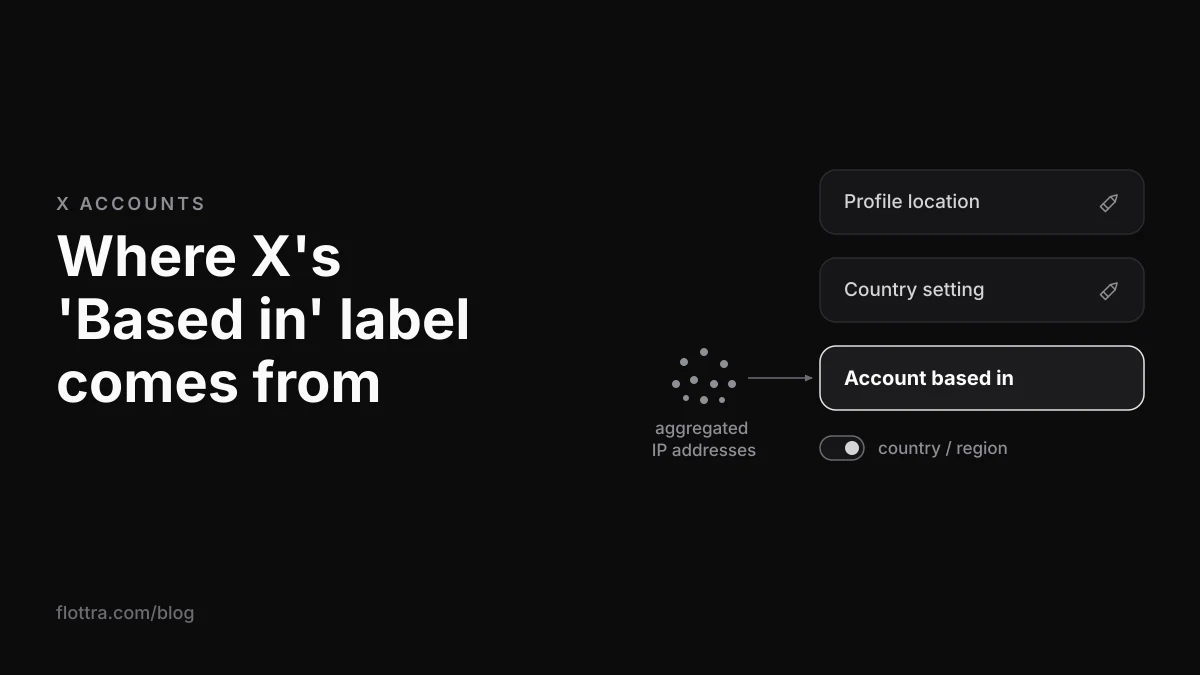
On X (formerly Twitter), 'Account based in' is the country or region shown in an account's About this account panel, which anyone can open by tapping the joined date on a profile. X says it infers this from your aggregated IP addresses. You cannot type it in, your profile location and your Country setting do not set it, and the only control you have is showing a region instead of a country. A VPN or proxy does not let you pick it cleanly, and at launch it was reported to add a public notice that the location may not be accurate.
What 'Account based in' means on X
'Account based in' is a line in X's About this account panel that tells other people which country, or which wider region if the owner chooses, an account is operating from. X began rolling the panel out in November 2025, as TechCrunch reported on 21 November 2025. It is public: anyone who opens the panel on your profile sees it, whether or not they follow you.
It is not the location you write on your profile, and it is not the Country setting in your account information. X's own help page separates the three, and mixing them up is the first thing to rule out before deciding the country shown is wrong.
How to see where an X account is based
- Open the account's profile on x.com or in the X app.
- Tap or click the joined date under the bio (the line that starts with 'Joined' and a month and year).
- Read the About this account panel that opens. 'Account based in' shows a country or a region.
The same steps work on your own profile, which is the quickest way to see exactly what everyone else sees about each of your accounts.
What the About this account panel shows
The About this account panel shows an account's original join date, how many times its username has changed, where it is based and how it connects to X. X's help pages do not publish a complete field list, so the table below is the set reported at launch by TechCrunch and Kiledjian, with the later removal of one line.
| Field | What it shows | Notes |
|---|---|---|
| Joined | The original join date | The date an account was first created, not when it was last renamed |
| Username changes | How many times the handle has changed, and when it last changed | Visible to anyone, so a renamed account cannot hide its history |
| Account based in | A country, or a broader region if the owner chooses | Inferred by X, not typed by the owner |
| Connected via | Web, or an app store such as the App Store or Google Play, often named by country | Broadens to a region when the owner switches to region |
| Created in | The country where the account was first created | Removed soon after launch in November 2025 |
The 'Created in' line did not last. Snopes reported that Nikita Bier, X's head of product, said it was removed because the creation country was wrong for a small subset of old accounts, and Privacy Guides noted on 26 November 2025 that when the feature returned it no longer publicly showed where an account was originally created. Older guides that talk about a creation country are describing a line that had gone within days of launch.
If you buy accounts, this panel is where you can check an aged account: it shows the original join date, and the username-change count tells you how often it has been renamed before it reached you.
Profile location, Country setting and 'Based in' are three separate fields
X has three location fields, and only one of them is both public and outside your control. The country settings help page, checked 10 November 2026, has a section headed "What is the difference between my Profile Location, my Country Setting, and About this Account?", which is the closest thing to an official explainer for the panel.
| Field | Who sets it | Who sees it | How to change it |
|---|---|---|---|
| Profile location | You, as free text | Anyone who views your profile | Edit profile, then change or clear the location box |
| Country setting | X, from location information; you can correct it | Not shown on your profile | Your account, then Account information, then Country |
| Account based in | X, inferred from aggregated IP addresses | Anyone who opens About this account | Cannot be edited; you can only show region instead of country |
The Country setting is the one people forget. X says "Your country also helps X know that you're old enough to use our services in your country" and "We also use information about your location to determine the country setting for your account, based on the countries where we make our services available." The same page says changing it does not affect content withheld under local law.
How to change your Country setting on X
- Open Settings and go to Your account.
- Click Account information and enter your password.
- Select Country.
- Choose the correct country from the drop-down.
That is X's own sequence; the help page puts it as "Visit Your account. Click Account information, enter your password and then select Country. Select the correct country from the drop-down." It works on x.com, iOS and Android. Nothing X has published says that changing it moves 'Based in', and the help page treats them as separate fields. Correct it if it is wrong for where you live, not as a way to change the public label.
How X decides where an account is based, and whether it changes
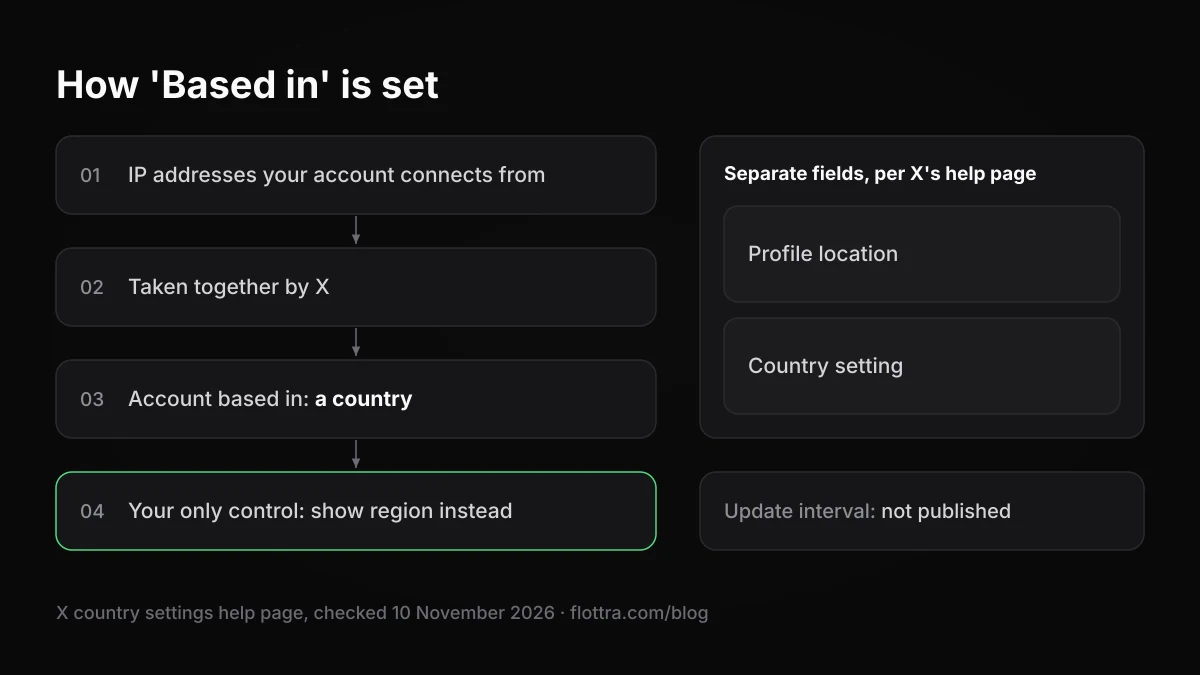
X says it "infers this information based on your aggregated IP addresses" (country settings help page, checked 10 November 2026). In plain terms, 'Based in' comes from the internet addresses your account connects from, taken together, not from anything you type. X does not publish which connections count, over what period, or how it settles an account that connects from several countries.
The panel carries its own disclaimer. Business Insider, via Yahoo, reported this wording, and Snopes saw the same: "The country or region that an account is based can be impacted by recent travel or temporary relocation. This data may not be accurate and can change periodically."
Does 'Based in' update, or stay on the sign-up country?
This is where the current top results contradict each other. X has not described the mechanism, so here is what each side actually has:
- It updates. The disclaimer says the label "can change periodically". Bier wrote, as reported by UPI via Yahoo: "If any data is incorrect, it will be updated periodically based on best available information. This happens on a delayed and randomized schedule to preserve privacy." That is an executive's post, not a help page, but it is the strongest sourced statement.
- It stays put. In a BlackHatWorld thread, one poster says a VPN cannot move the label because it stays on the country where the account was opened. Another poster in the same thread says it moves if you use a VPN in one location long enough and match the App Store country. Neither posted a test.
- Other inputs. Proton VPN's general manager told TechRadar that the location seemed to come from app store region more than current IP. Privacy Guides said it appeared to come mainly from geolocating the IP address. Both were reading the launch week from outside X.
X's own words point to a label built from IP addresses taken together and, according to Bier, refreshed on a delayed, randomised schedule with no published interval. Two former X employees also told NBC News that the geolocation data X received was not always accurate and could be manipulated, partly because VPNs are so common. Any guide that gives you a number of days for the label to update is guessing.
How to change or hide your 'Based in' location on X
You cannot edit 'Based in' and you cannot remove the About this account panel. What you can do is show a region or continent instead of a country. Country is the default, according to TechCrunch's launch report, and the region switch is the only privacy control X offers for this line.
How to show region instead of country
The help page gives this route: "You can choose to show the region or country your account is based in by clicking the 'joined' date in your profile and selecting the settings gear icon."
- Open your own profile.
- Click or tap the joined date.
- Select the settings gear icon in the About this account panel.
- Choose to show your region rather than your country.
Third-party guides also give a path through the privacy settings, and they disagree. Hackread gives Settings and privacy, then Privacy and safety, then Your X activity, then About your account; more recent guides leave out Your X activity. Menu names move between app versions, so if one path is missing, use the joined date route, which is the one X documents.
Switching to region also broadens the 'Connected via' line. Hackread's example: "Connected via United Kingdom App Store" becomes "Connected via Europe App Store".
No source checked for this post shows any country getting region by default. Privacy Guides reported in November 2025 that some government-affiliated accounts were exempt from the label at the time, which may explain some profiles with no location, but that report is a year old.
VPNs, proxies and the 'country or region may not be accurate' notice
A VPN or proxy does not let you choose your 'Based in' country cleanly. What it can do, according to reporting from the launch period, is put a public notice on the panel saying the country or region may not be accurate. Before launch, Vice reported leaked code in which the account owner would be told that "one of our partners" had flagged a possible proxy, while other users would see "Country or region may not be accurate".
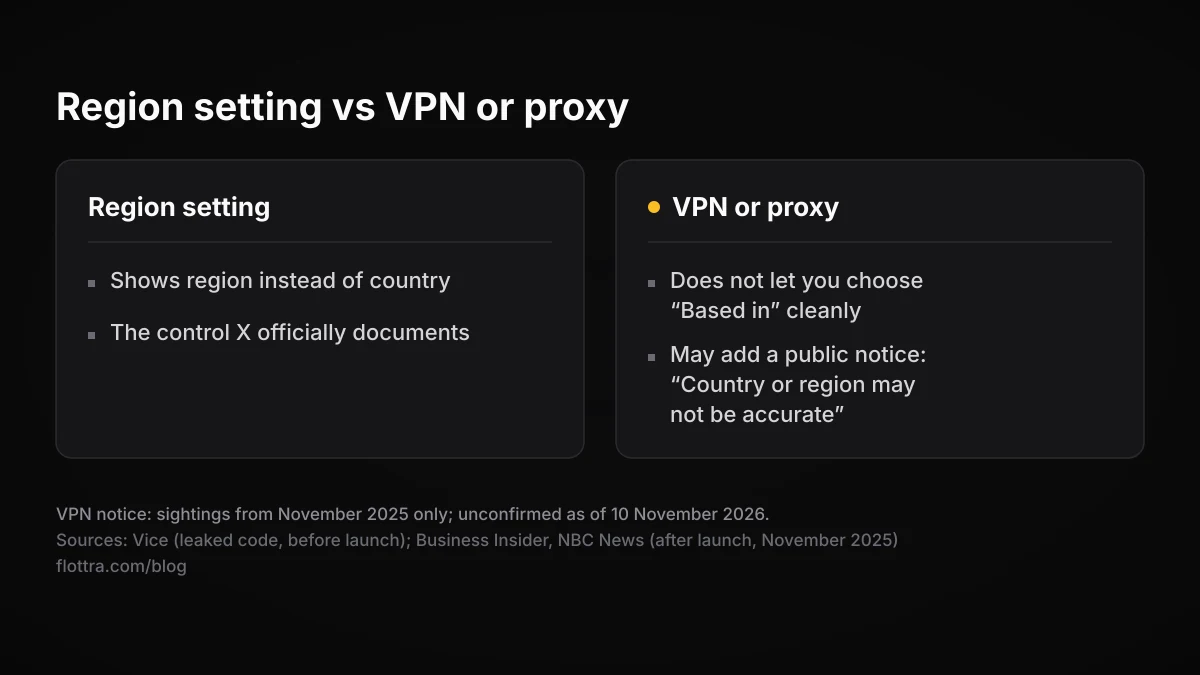
After launch, Business Insider opened the panel from a device on a VPN and saw a notice that the "country or region may not be accurate" because of a proxy. NBC News reported the viewer-side text, which credits a partner with the detection and adds: "This data may not be accurate. Some internet providers may use proxies automatically without action by the user."
Two things follow. The notice sits on the profile, so people visiting the account see it, not only the owner. And X's own wording admits that a proxy flag is not proof the owner is hiding anything, because some providers route customers through proxies without asking them.
Not confirmed for November 2026
Every sighting of the proxy notice found for this post dates from November 2025. Whether it still shows, and its exact current wording, could not be confirmed on 10 November 2026. X has not named the partners that detect proxies or said which address types they flag.
Advice to 'use a VPN to hide your location on X' skips this. On X a VPN may swap an accurate country for a visible accuracy warning. If privacy is the goal, the region setting is the control X documents.
Why accounts run behind proxies show the wrong country
When you run several X accounts through proxies, a mismatched 'Based in' or a proxy notice most likely traces back to the exit IP, because that is the one input X names. X does not publish how it weighs addresses, so what follows is reasoning from that stated input, not a tested result.
- Exits that hop countries. A rotating pool that hands an account a new country each session gives X a spread of addresses with no clear home. The inferred country can land anywhere in that spread, and shift later on the delayed schedule Bier described.
- Known VPN or proxy ranges. Privacy Guides reported that X appears to hold a list of VPN and proxy addresses and shows the accuracy warning for them. Commercial VPN servers are VPN addresses by definition; which other ranges X's partner flags is not published.
- An exit that disagrees with the rest of the account. An exit IP in one country while the account connects through another country's app store can put two different countries on the same panel, one in 'Based in' and one in 'Connected via', unless the owner has switched to region. Whether app store region feeds the 'Based in' label itself is speculation.
- Many accounts on one exit. Accounts that share an address share the same input, so anyone comparing their panels is likely to see the same country, and the same notice if the address is flagged.
The setup that keeps the label consistent follows from X's description: one stable exit, in one country, per account, kept for the life of the account. Whether residential or ISP addresses are flagged less often than datacentre ranges by X specifically is not published: proxy vendors such as proxywing.com and anyip.io say datacentre ranges are flagged more, but they sell proxies and say nothing about X's label. The proxies guide covers the proxy types and the leaks that undo a working proxy, and managing multiple X accounts covers the wider setups.
On the tooling side, Flottra's recommendation is one proxy per account, and its panel refuses to put more than five accounts on one static proxy, because accounts sharing one exit IP is what a farm looks like. Flottra does not set, change or read the 'Based in' label. That label is X's inference, and no tool controls it.
What X's rules say about multiple accounts and location
Using proxies to make accounts look based somewhere they are not runs into the authenticity policy, checked 19 September 2026. It says "you may not create, operate, or mass-register accounts that are not legitimate, genuine and transparent as to their source, identity, and popularity", "Multiple Accounts and Coordination: We prohibit coordinated inauthentic activity that artificially influences conversations or disrupts X." and "Ban Evasion: You may not circumvent X enforcement actions." The panel exists to make an account's source visible. Whether your setup fits those lines is your decision.
The scrutiny is current. Tech Insider reported that in October 2026 X disclosed suspending about 13,000 accounts in networks linked to Iran, Russia and China ahead of the 3 November 2026 US midterms. For the signals that get accounts caught more generally, see why X accounts get suspended.
What is known and what is not about 'Based in'
Most of what circulates about the 'Based in' label is inference. This table separates what X has written from what has only been reported or claimed, as of 10 November 2026.
| Claim | Status | Source |
|---|---|---|
| 'Based in' is inferred from aggregated IP addresses | Official | X country settings help page |
| You can show region instead of country | Official | X country settings help page |
| The label can change over time | Panel disclaimer as reported, and an X executive's post | Business Insider and UPI, via Yahoo |
| Updates follow a fixed interval | Not published | None |
| The label stays on the sign-up country | Forum claim, contradicted in the same thread | BlackHatWorld |
| App store region feeds the label | Speculation | Proton VPN, via TechRadar |
| Profile location or Country setting changes it | Nothing official says so | Help page treats them as separate |
| The proxy notice still shows | Unconfirmed in 2026 | Sightings from November 2025 only |
| The 'Created in' line | Removed in November 2025 | Snopes, Privacy Guides |
On 2026 changes: a changelog that tracks X updates, SocialBee (updated 9 November 2026), lists the feature as rolled out globally, with the month unclear in its entry. No source found describes any 2026 change to how 'Based in' is worked out.
Questions
Does using a VPN change my X location?
Not reliably. X builds 'Based in' from your aggregated IP addresses, so a VPN feeds it different addresses, but X does not say how long, or how much, it takes to move the label, and forum reports contradict each other. What was reported at launch is that a VPN or proxy can trigger a notice, visible to other people, saying the country or region may not be accurate. If you want a less precise location on your profile, the region setting is the control X documents.
Why does my X account show the wrong country?
The causes X's own wording points to are recent travel, a VPN or proxy, or an internet provider that routes traffic through a proxy without telling you, which X's own reported notice acknowledges. The panel's disclaimer says the location can be affected by travel or temporary relocation and can change periodically. You cannot correct it by hand. Using the account from your real connection over time is what X's wording implies, and Bier said wrong data is updated on a delayed, randomised schedule.
Does changing the Country setting change 'Based in'?
Nothing X has published says so. The help page describes the Country setting and About this account as separate things: the setting is a private field X sets from location information and uses to confirm you are old enough for its services in your country, while 'Based in' is inferred from IP addresses. Correct the Country setting if it is wrong for where you live, but do not expect the public label to follow it.
What does 'Connected via' mean in About this account?
It shows how the account reaches X: through the web, or through an app downloaded from a particular store, often named by country, such as the United Kingdom App Store. Launch reporting listed web, iOS and Google Play as the options. If you switch your profile to show region in place of country, this line broadens as well, so the store appears by region, for example Europe App Store.
Can I hide my country on X?
Partly. You cannot turn off the About this account panel or remove the 'Based in' line, but you can show a region or continent in place of the country. X documents the route: click the joined date on your own profile and select the settings gear. Guides also give a path through Privacy and safety, though the menu names differ between them. The free-text location on your profile is separate and can be cleared whenever you like.
Is my profile location the same as my country setting on X?
No. The profile location is the free text under your bio; anyone can see it and it can say anything, or nothing. The Country setting sits under Your account, then Account information, and X sets it from location information and uses it for age checks. Neither one is the 'Based in' label, which X infers separately from the IP addresses your account connects from.